Freeflow builds AI agents for insurance operations. I designed and built the agents and the product around them, from certificate requests to property and casualty (P&C) claims audits.
I joined Freeflow as a consulting product designer from March to September 2025. Two products came out of that time: request automation for insurance agencies, then claims audit for P&C insurance carriers.
Prototype click-through
Overview
Insurance runs on paperwork that has to match. A contractor’s certificate of insurance (COI) has to satisfy the contract, and a renter’s evidence of insurance (EOI) has to match the lease. Freeflow’s agents do that checking: they read the request, look the client up, compare the documents and reply with what’s missing.
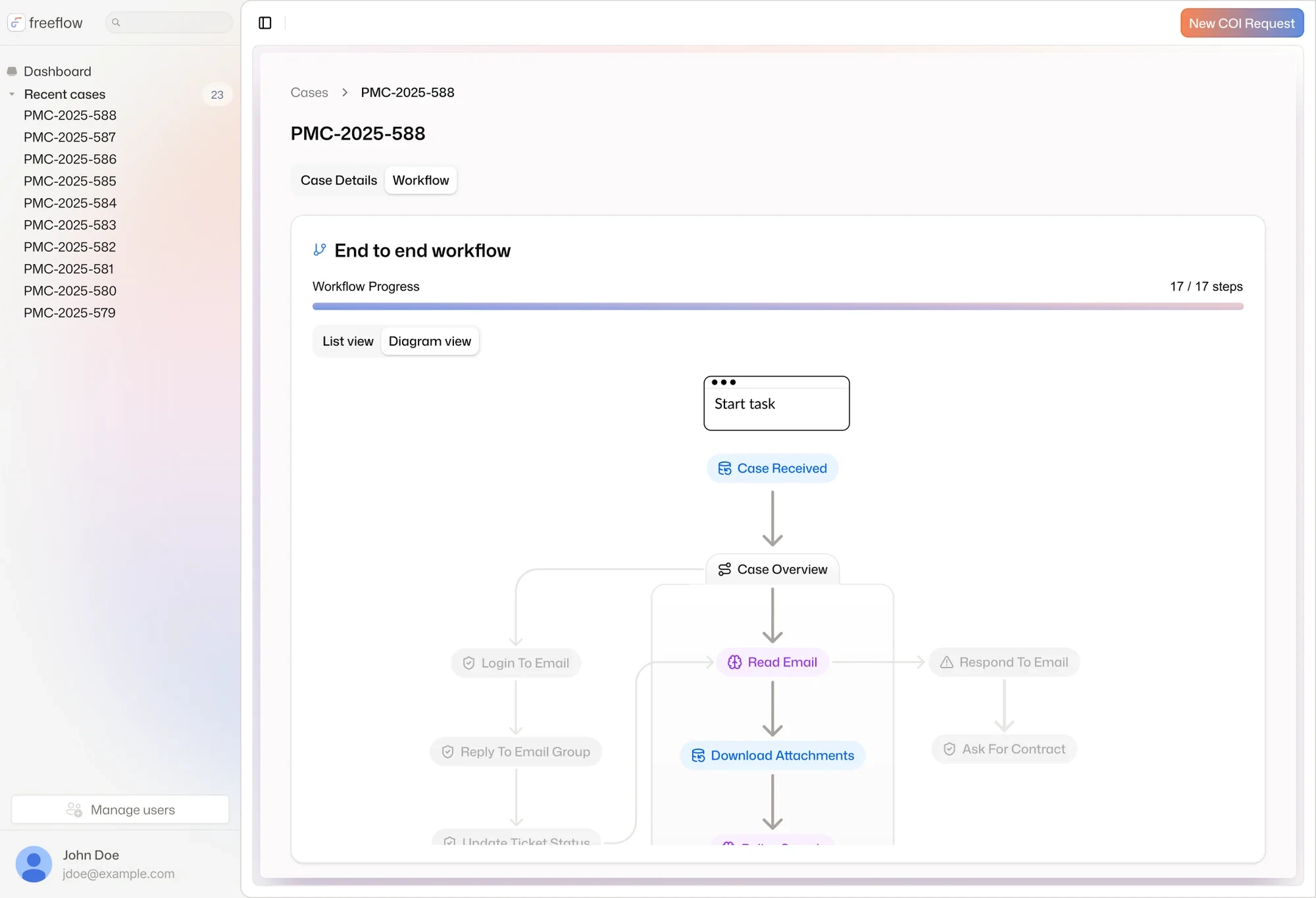
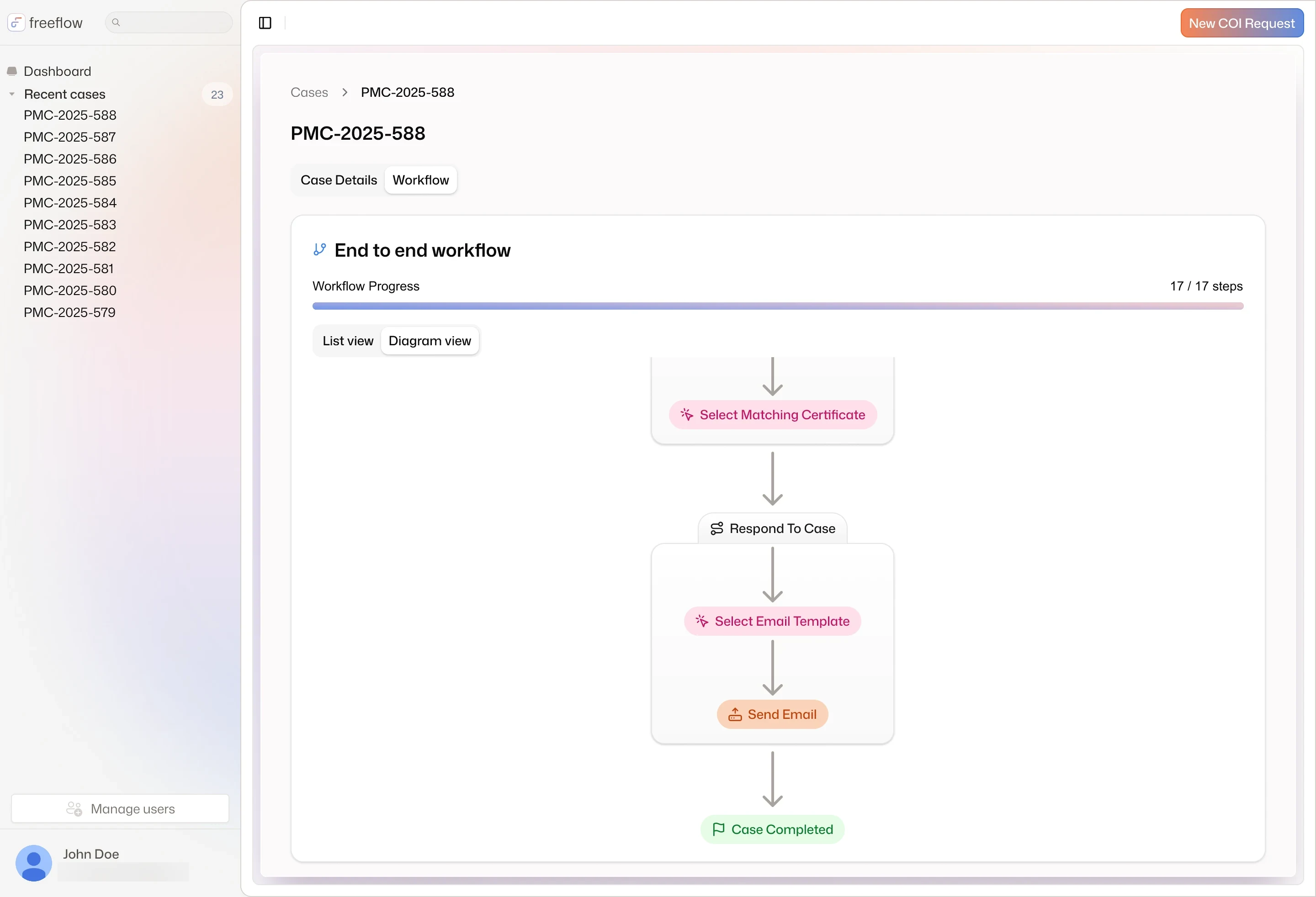
End-to-end workflow
Problem
Service teams worked these requests by hand, one email at a time. Each meant finding the client in the agency’s systems, reading every policy and agreement, and comparing them line by line before replying or filling in an ACORD (the standard insurance certificate form).
On the carrier side the gap was bigger: most carriers audit fewer than 5% of their claims.
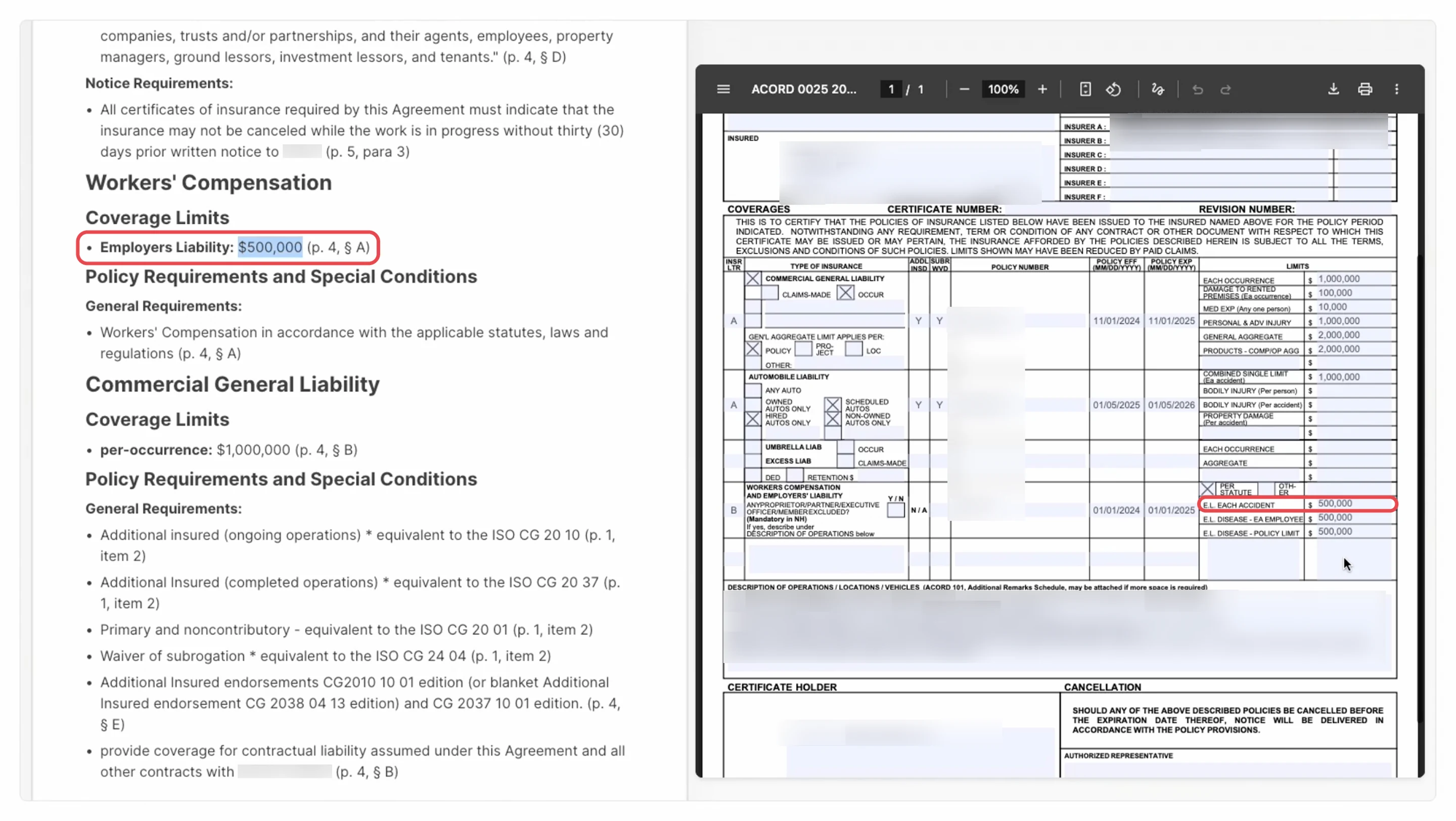
Contract vs ACORD
Opportunity
If an agent could read the documents, check the policies and draft the answer, the team would only need to review. But they would only trust it if they could see how it got there.
Show the work
Every case runs a path you can follow:
✓Read→✓Check→✓Decide
Solution
Pick one of the five pieces of work to see its final design, how each flow got there, the prototype and the research.
01 / 05
COI requests
Contract and policy pages in, certificate out
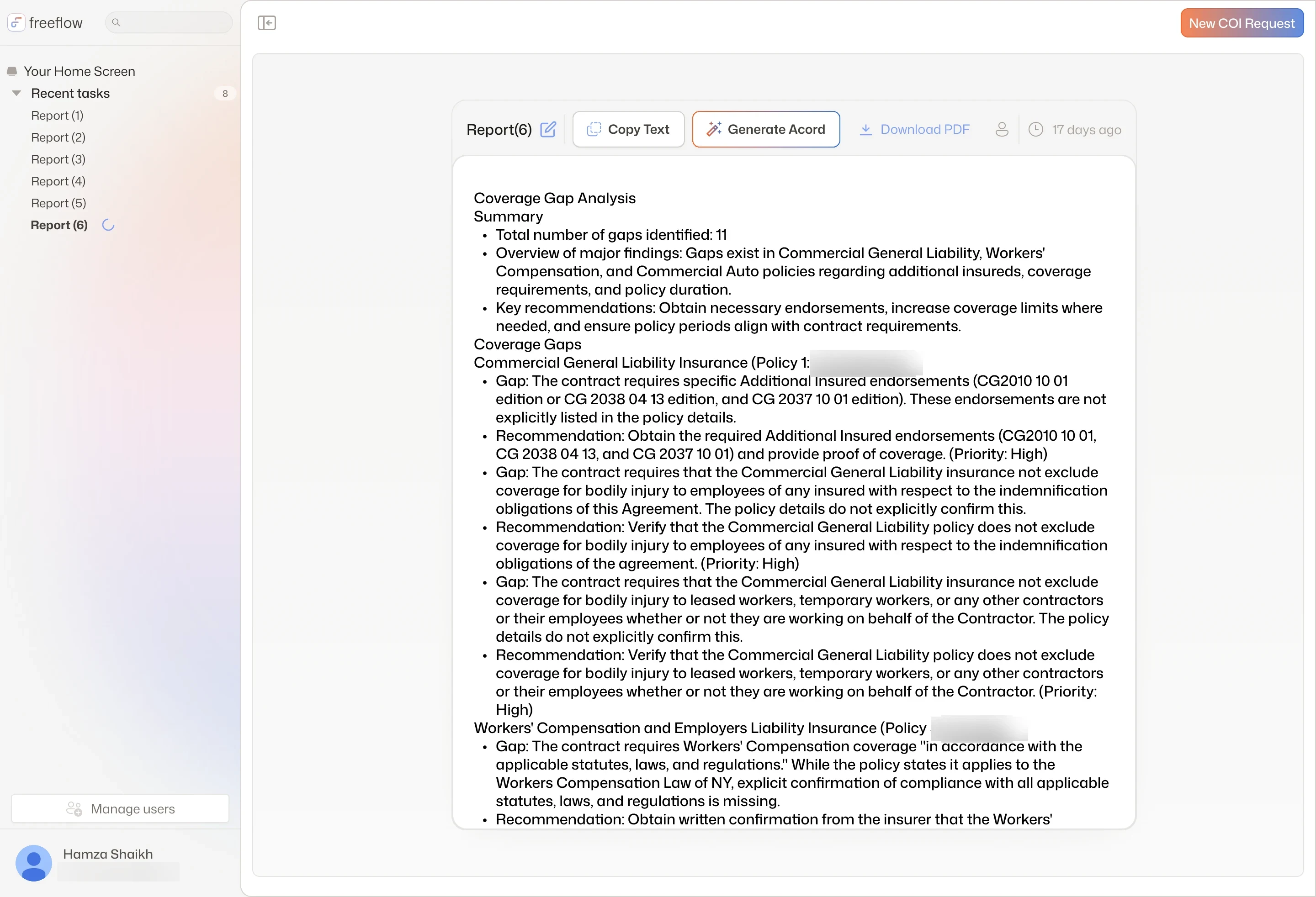
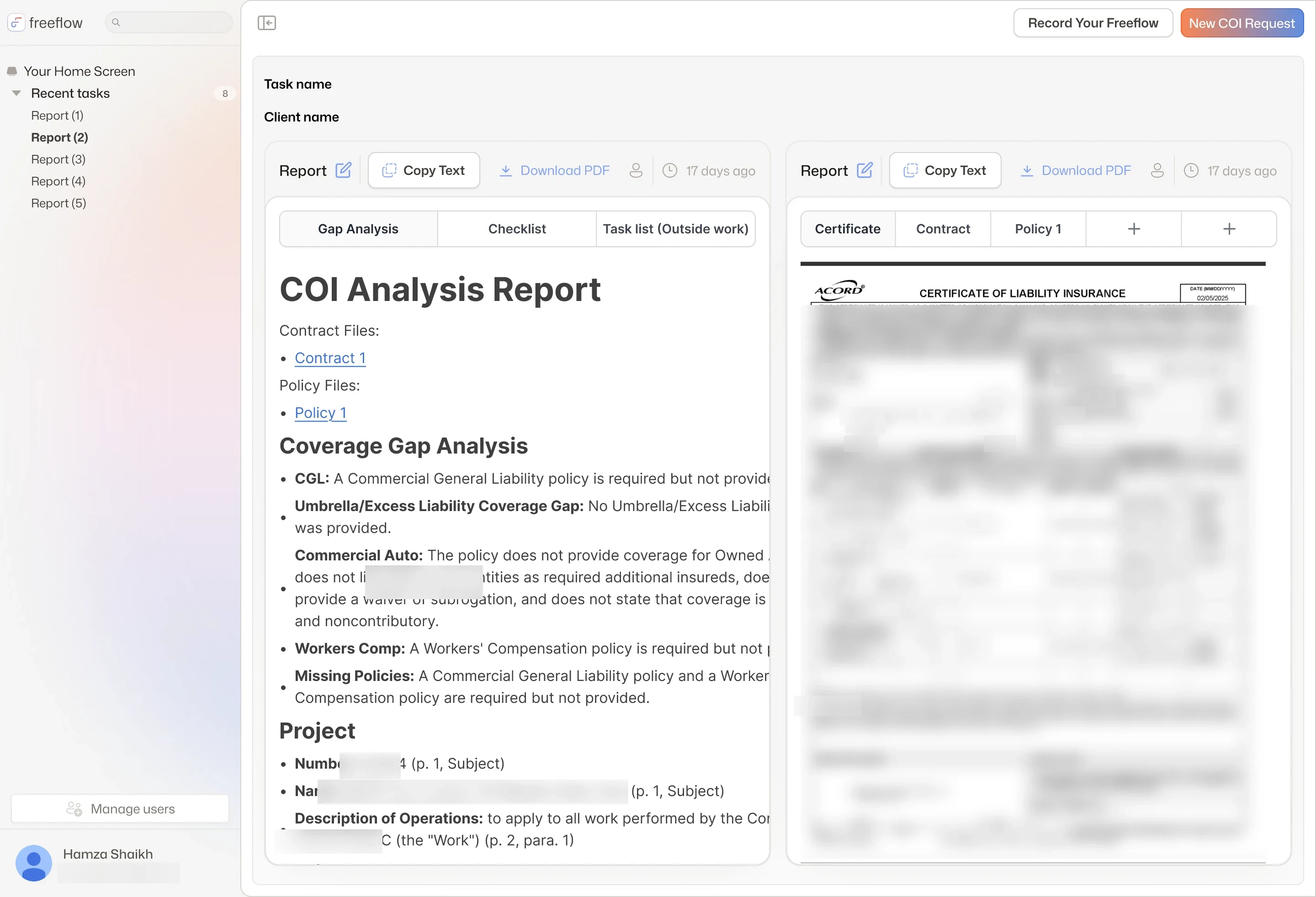
The coverage gap analysis: 11 gaps, each with a recommendation and a priority (policy numbers blurred)
I designed how an agency answers a certificate of insurance (COI) request: upload the project agreement and the insured's declaration pages (the policy summary), read a coverage gap analysis, then fill the ACORD (the standard insurance certificate form) from it.
Decision
In v1, ask for both files in two labeled drop zones instead of having Freeflow find the client.
Trade-off
Checked at upload, so a report never runs on a broken file; asking for exactly what's missing waited for v2.
Result
Handed to engineering in August 2025; the report beside its documents and gaps pinned on the certificate came in the v2 round.
Opportunity
A certificate of insurance has to satisfy the contract it's for. Service teams checked every request by hand, comparing policies and agreements line by line before replying or filling in the ACORD.
Screen-share
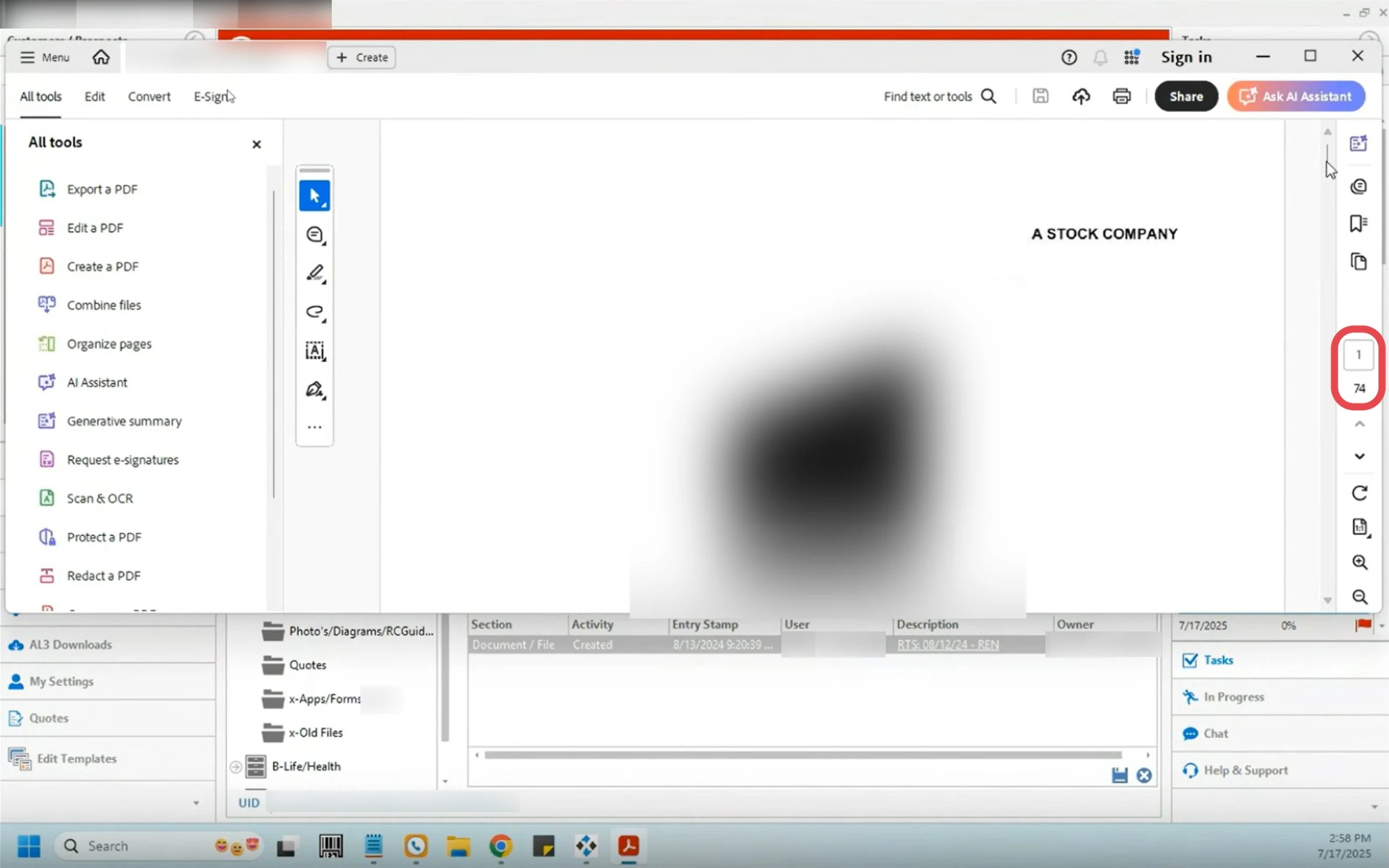
A carrier policy in a PDF reader, page 1 of 74 (logo and user blurred)
Core flows
Where a new request starts
Freeflow opened with COI requests. EOI (evidence of insurance) was planned next. Where does a new account start? Where does a second request type go?
Explorations
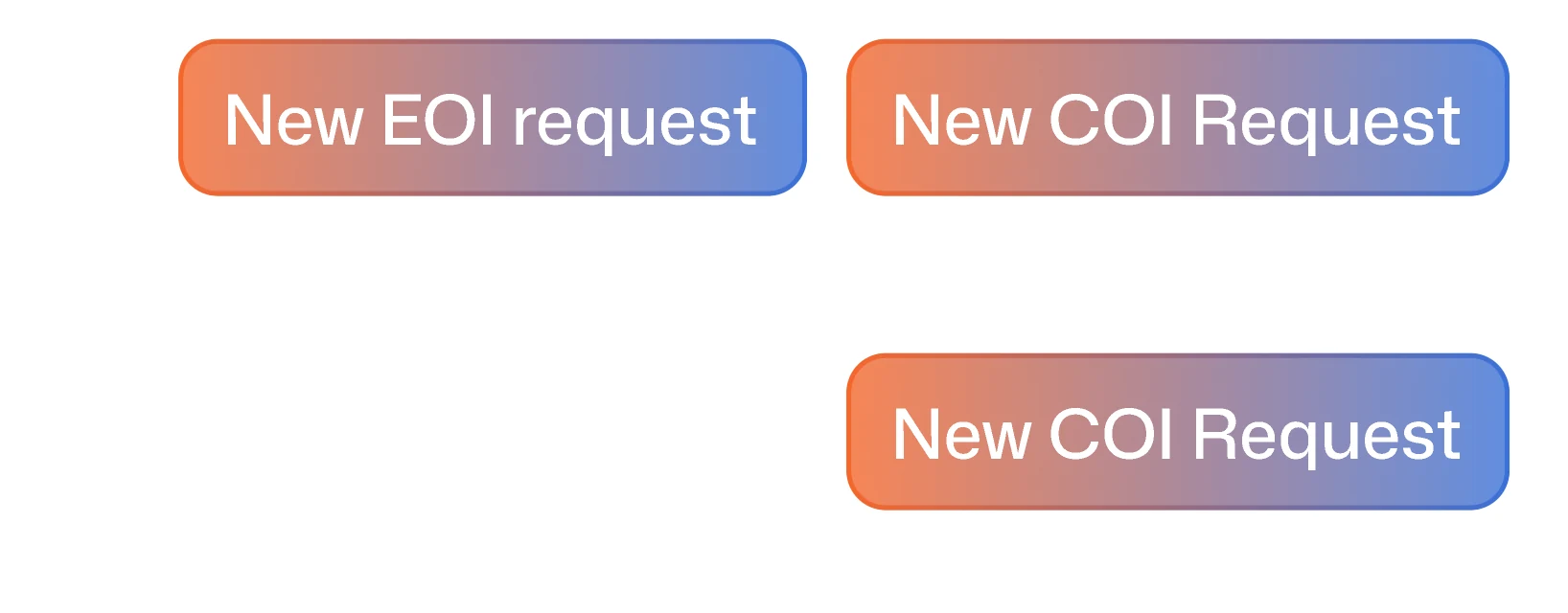
A button per request type
Each request type gets its own button in the header, New EOI request beside New COI Request.
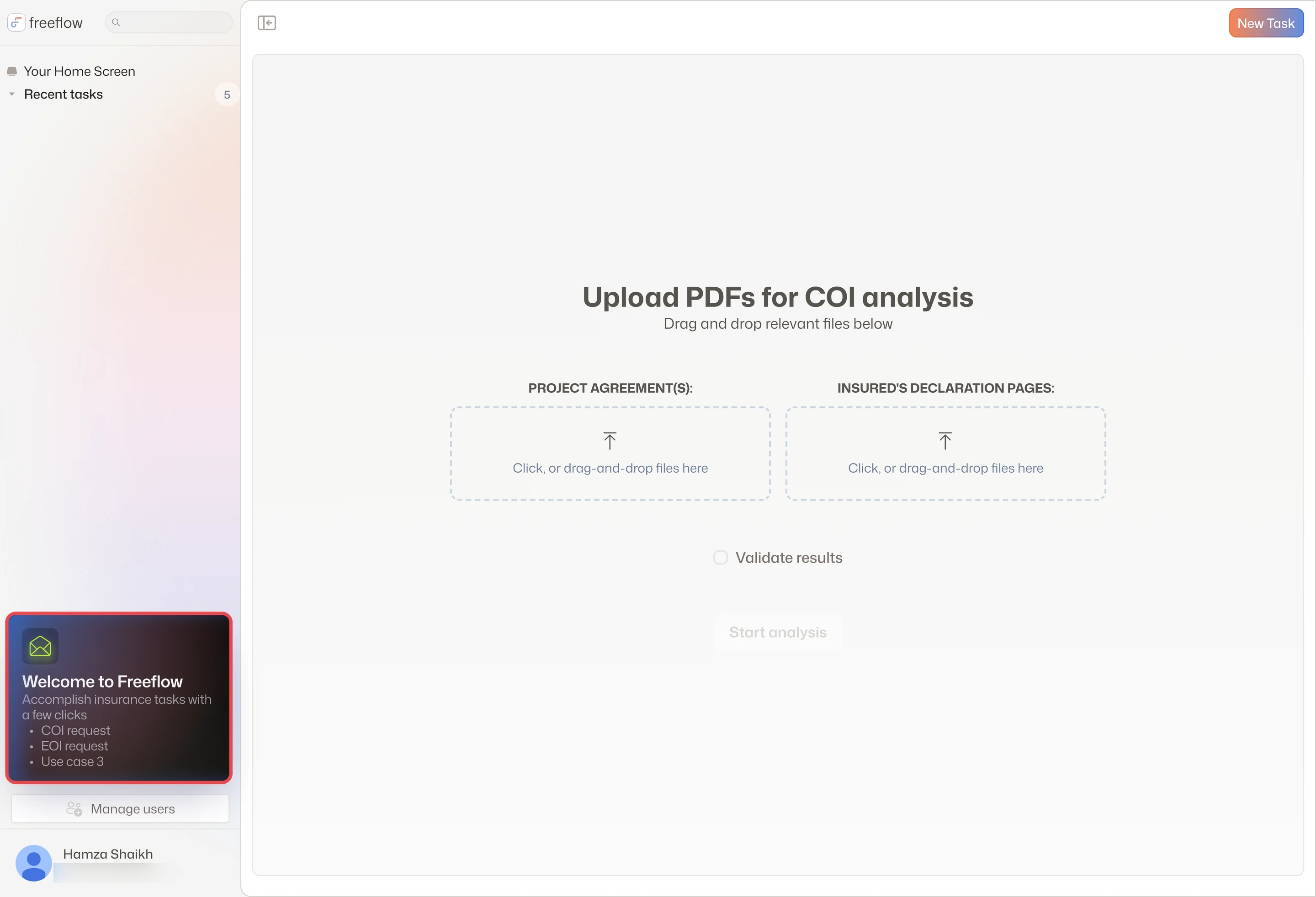
A welcome card listing use cases
The sidebar welcome card becomes a menu of what Freeflow can do: COI request, EOI request and a third use case.
Final design
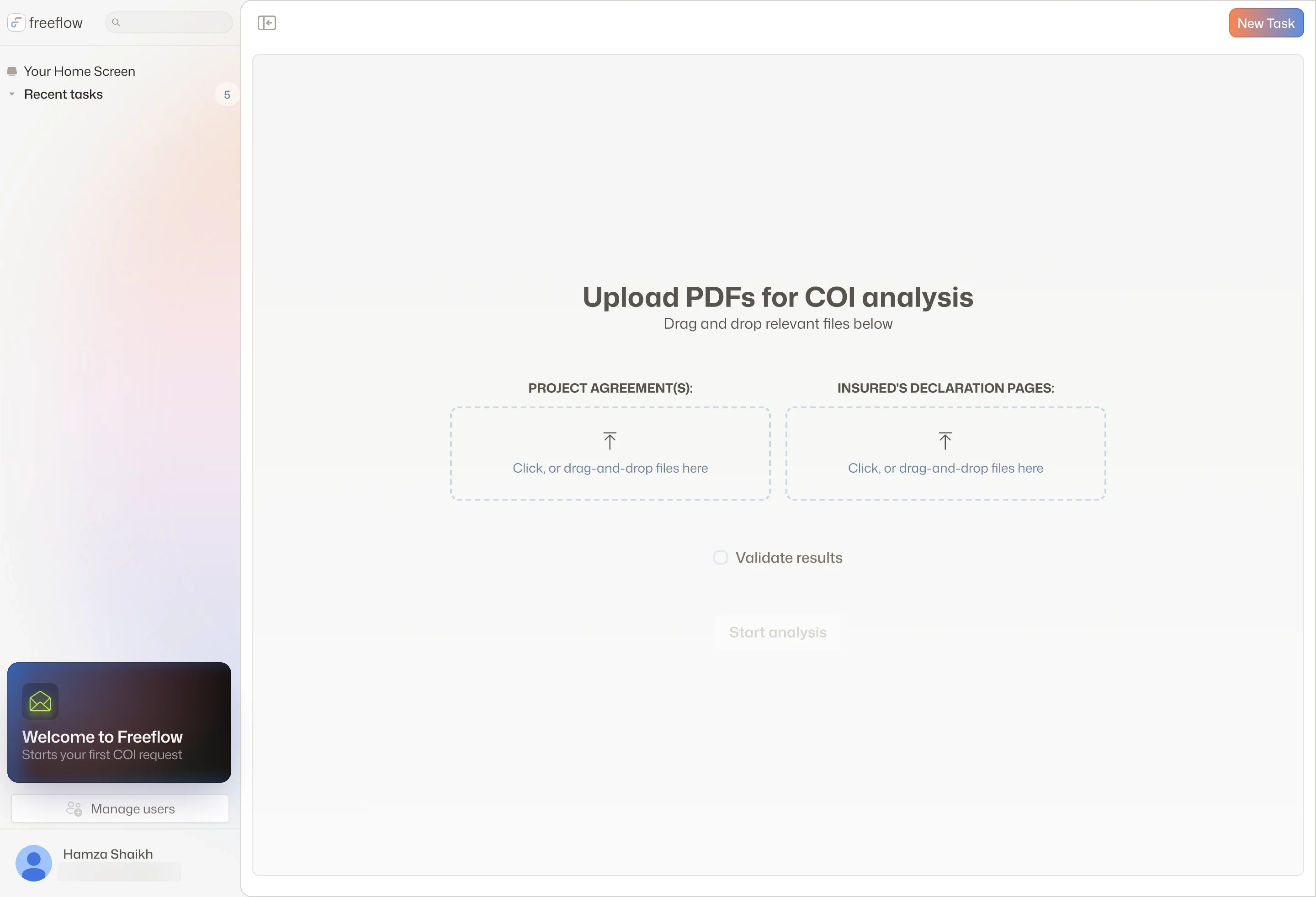
A new account opens on the upload, and a sidebar card starts the first COI request
What landedIn the handoff, a new account opens straight on the upload, with a Welcome to Freeflow card that starts the first COI request and one header button. The other options stayed in the file for when EOI arrived. EOI later came in as its own case type.
Two documents in, one report
The agents need two files: the project agreement and the declaration pages. How does the upload ask for both, and wait until both are in?
Explorations
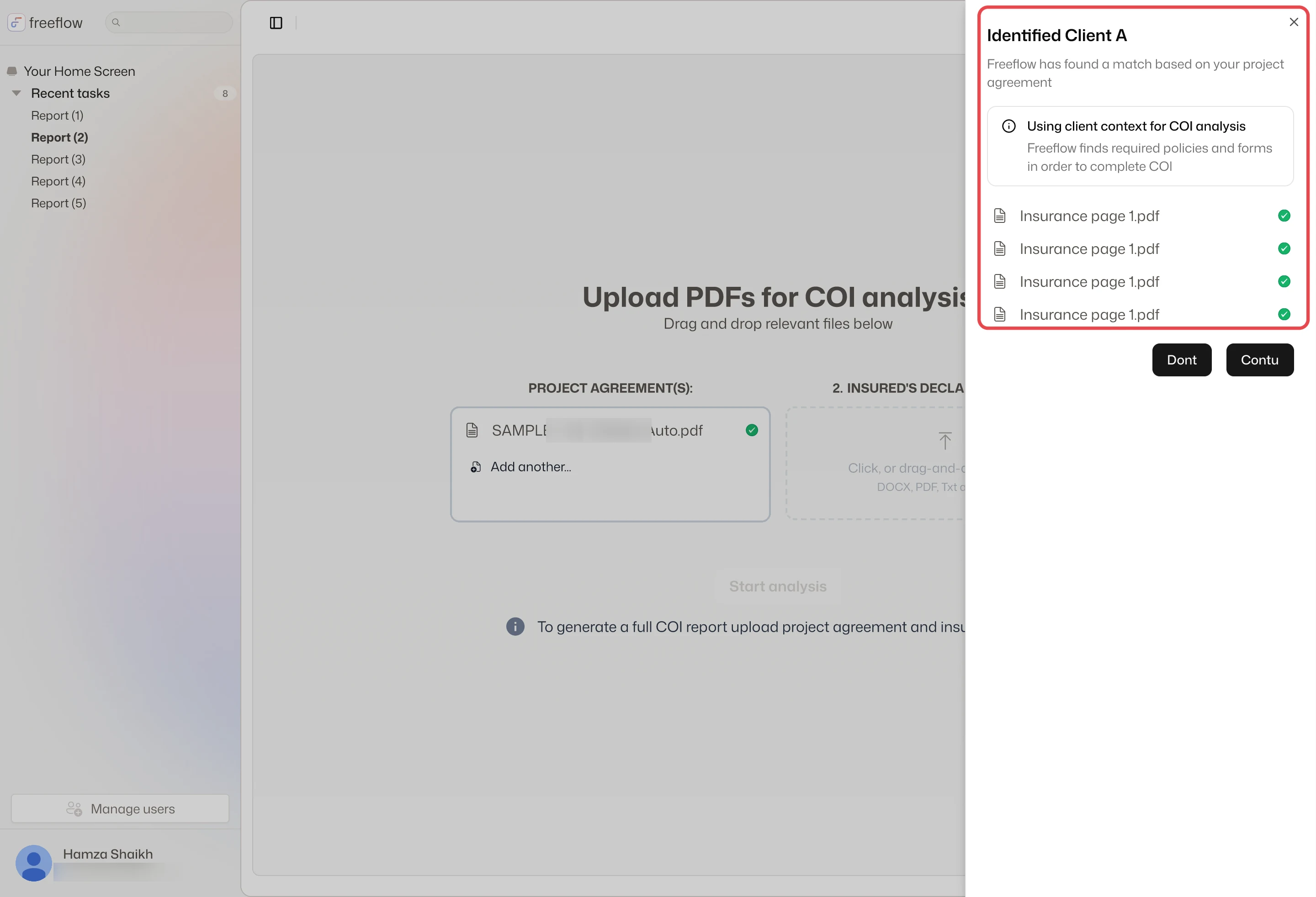
v2: Freeflow finds the client
In the v2 round, after v1 went to engineering, a side panel names the matching client and its policies. The declaration pages then come from the client, not a second upload.
v2: more than one match
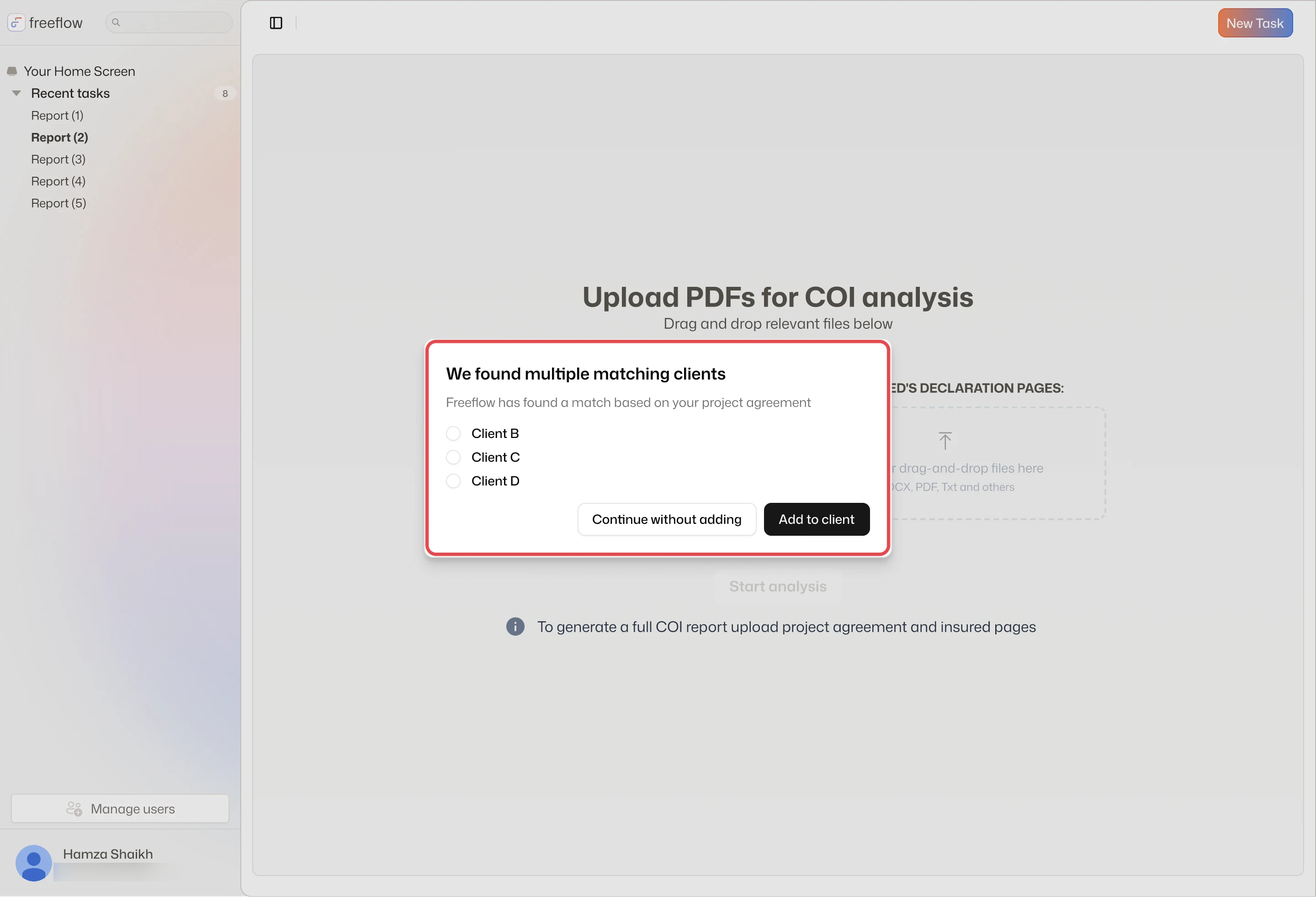
The edge case: when the agreement matches several clients, a dialog asks which one, or to continue without adding.
Final design
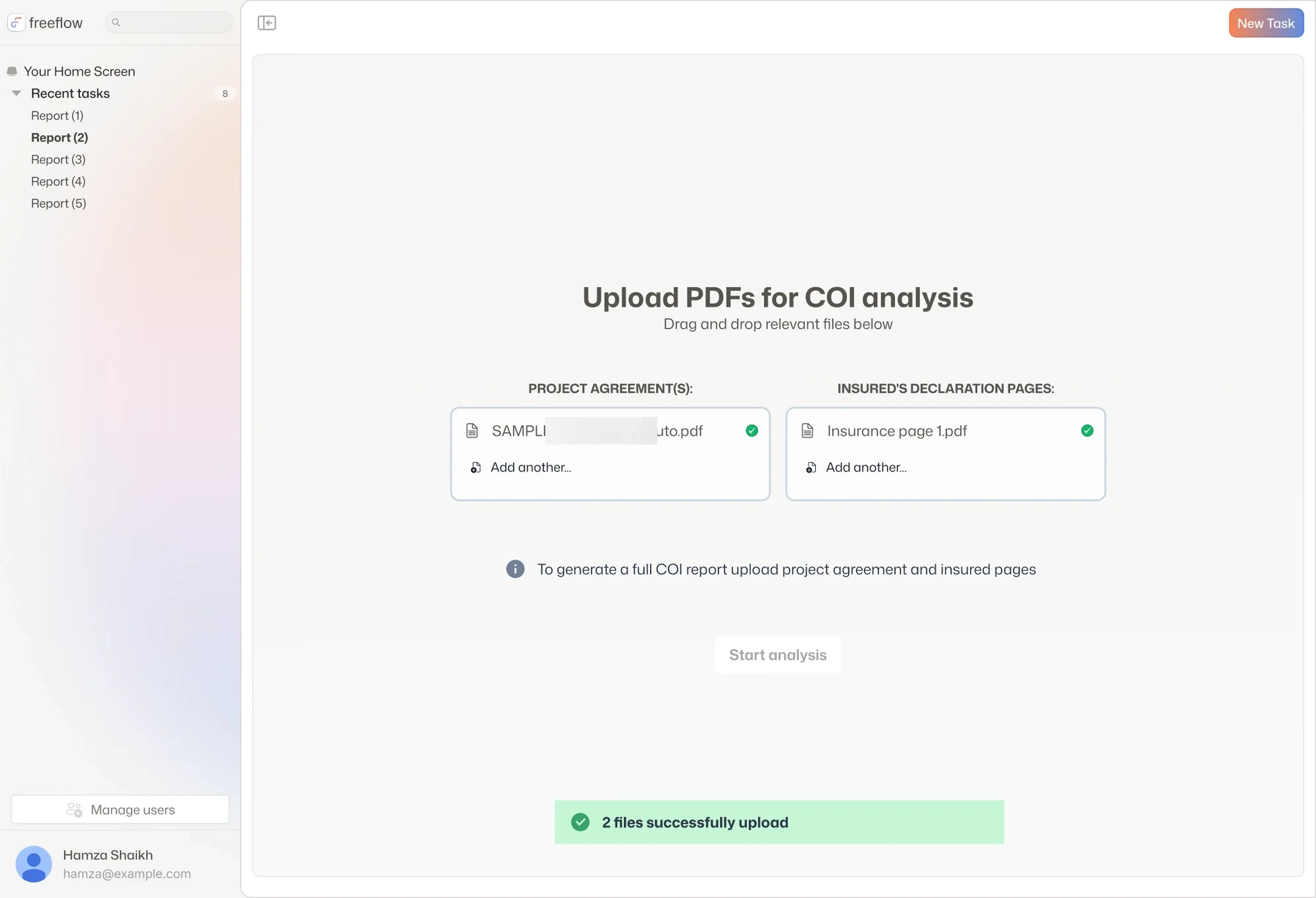
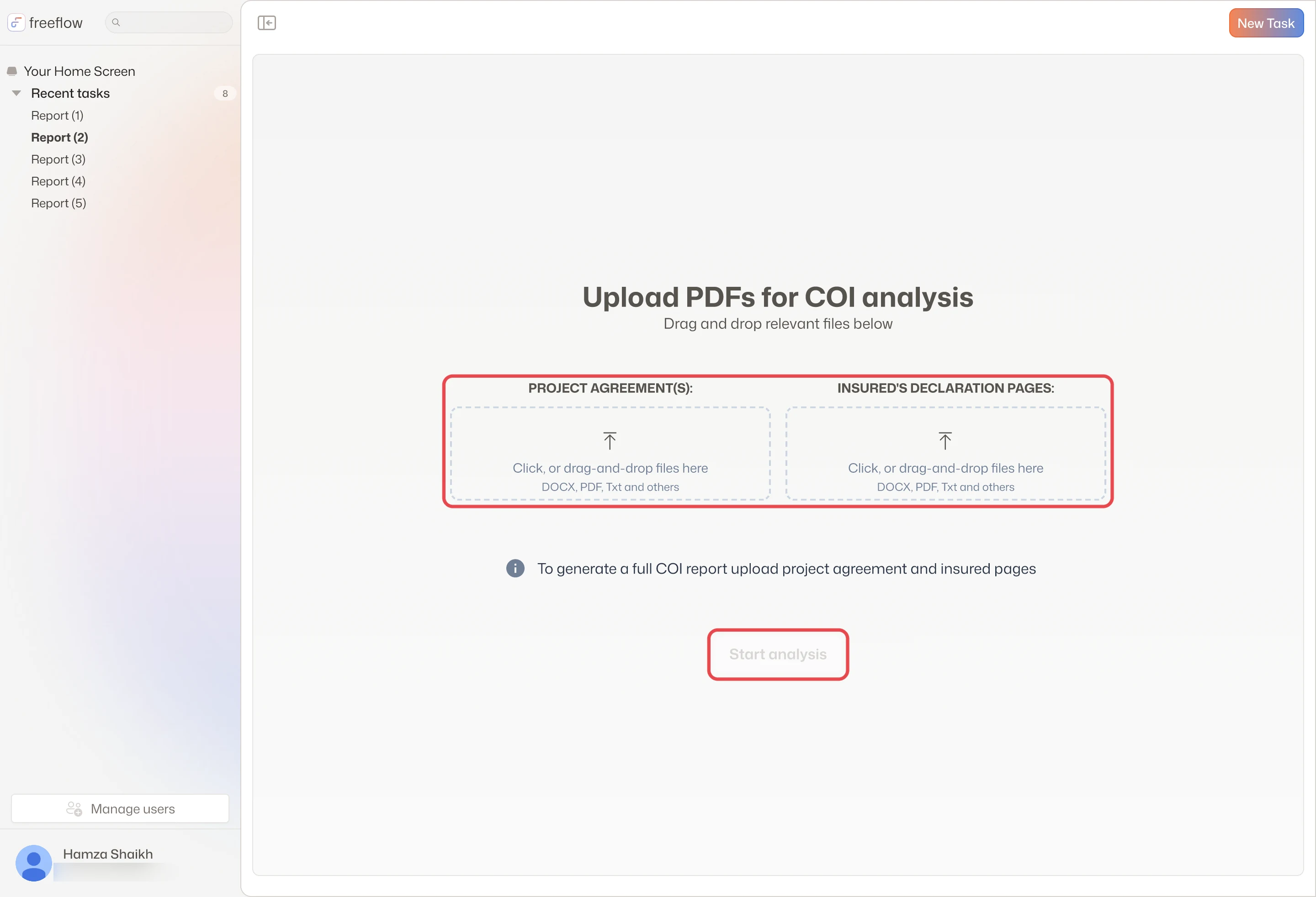
The v1 upload: two labeled drop zones, Start analysis grayed out until both are in
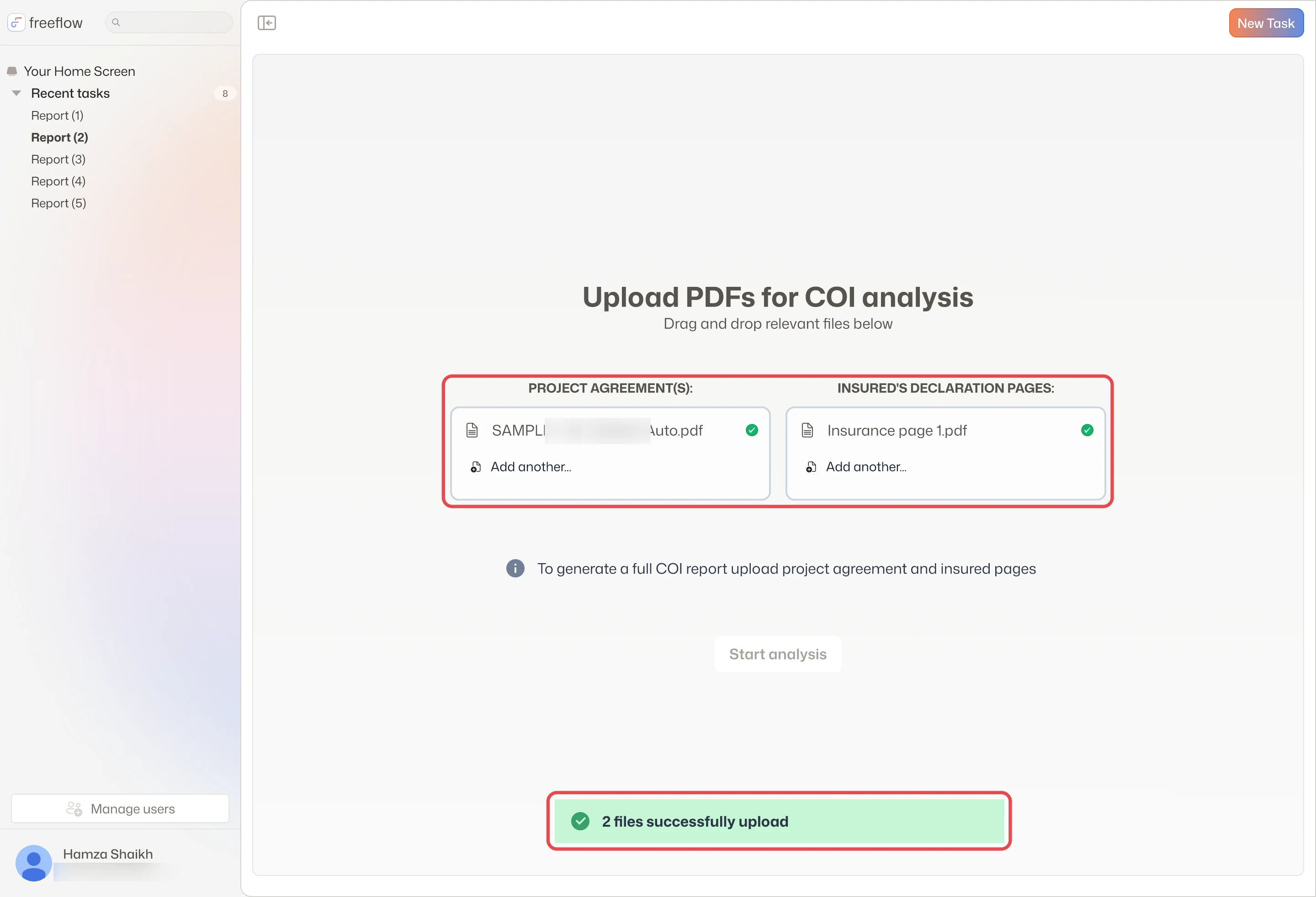
Both files uploaded, each with a check, and a toast confirms the upload (file name blurred)
What landedv1, handed to engineering in August 2025, keeps it explicit: two labeled drop zones, a hint that a full report needs both, and Start analysis grayed out until both are in. Each file shows a spinner, then a check.
From gap analysis to ACORD
The report lists every gap. How does it become the ACORD without retyping, and how does a reviewer check a gap against its source?
Explorations
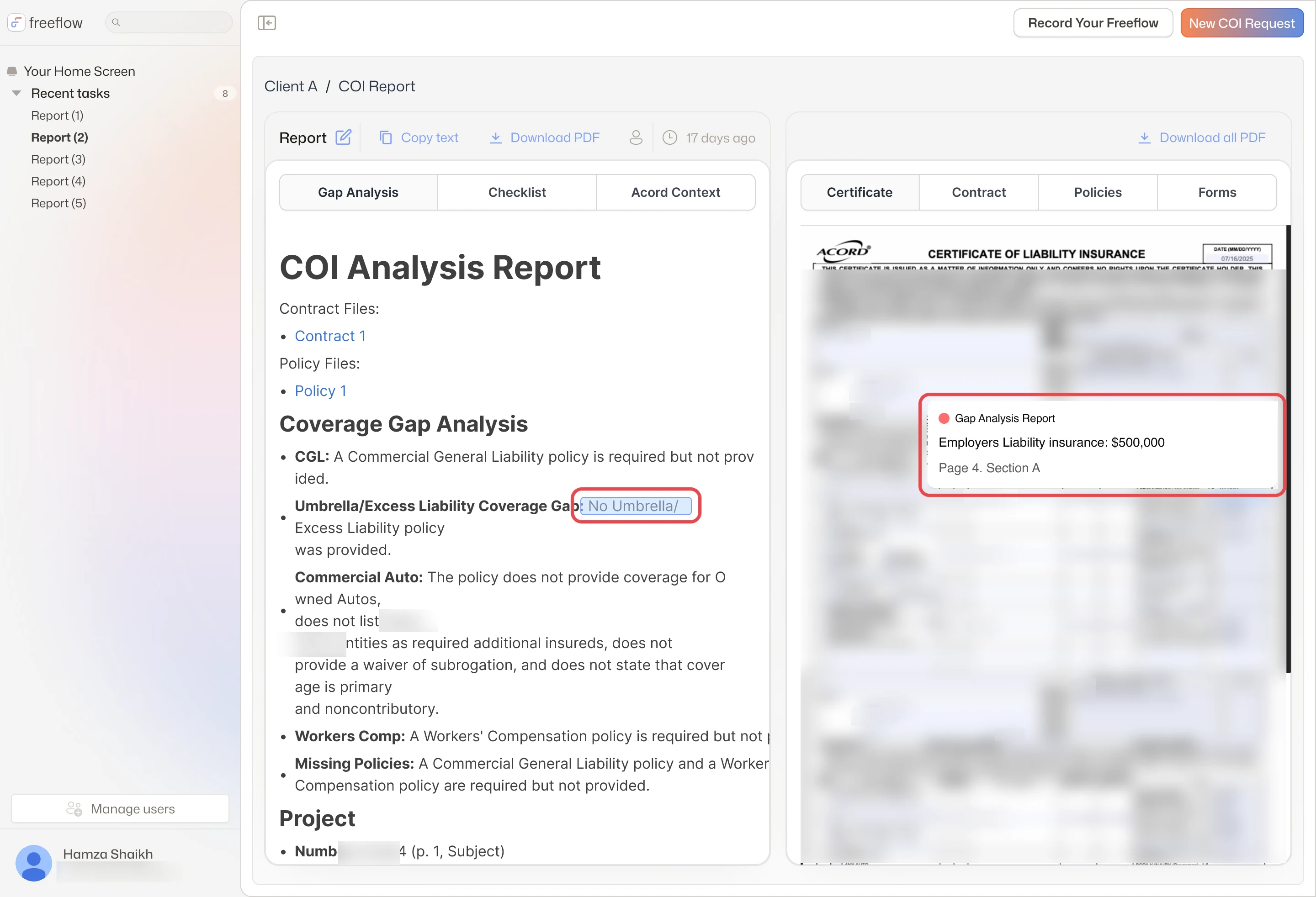
v2: report beside the documents
Drawn after the v1 screens. The report gains tabs and sits beside the certificate, contract and policy, so the ACORD is open next to its gaps.
v2: gap pinned on the certificate
Select a gap and a note pins to the certificate with the figure and where it came from, Page 4, Section A.
Final design
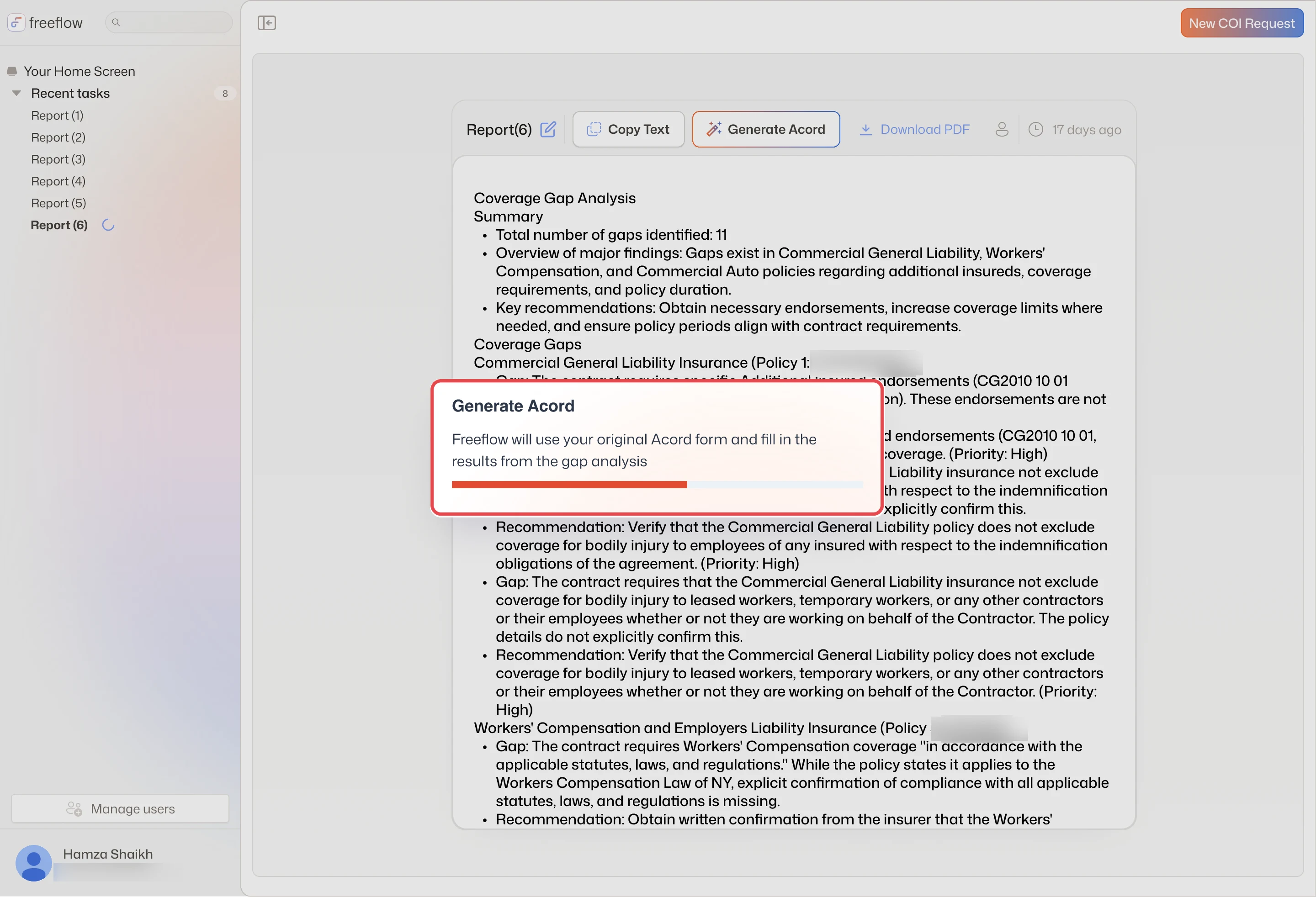
Generate Acord fills your form from the gap analysis, with a progress bar (policy number blurred)
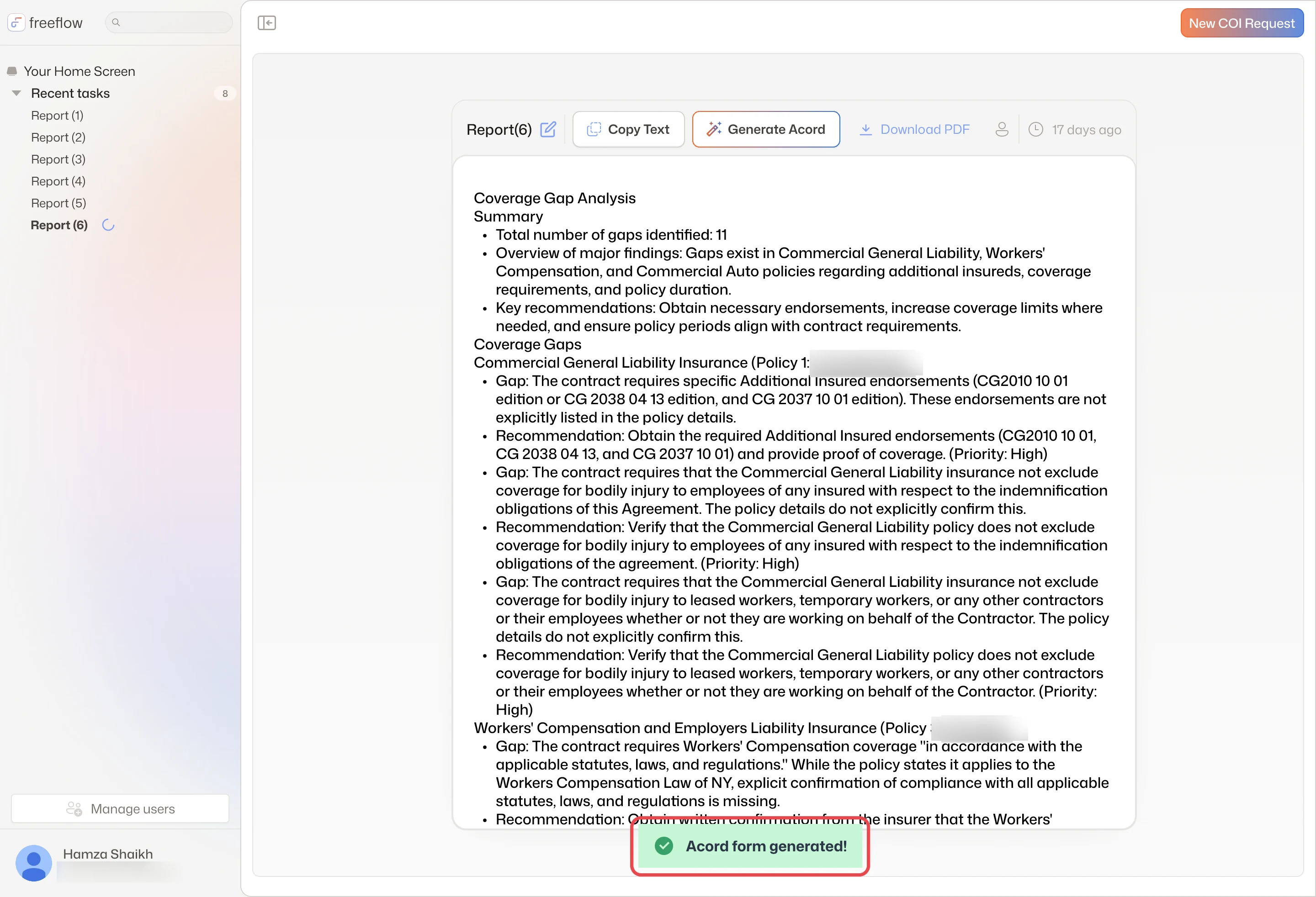
When it's done, a toast says Acord form generated! (policy numbers blurred)
What landedv1 keeps the report and adds one action, Generate Acord. It says it will fill the original ACORD form from the gap analysis, shows its progress, then confirms. The side-by-side view came later, in v2.
When a document is missing
What happens when a file fails to upload, or the task needs a policy or form nobody provided?
Explorations
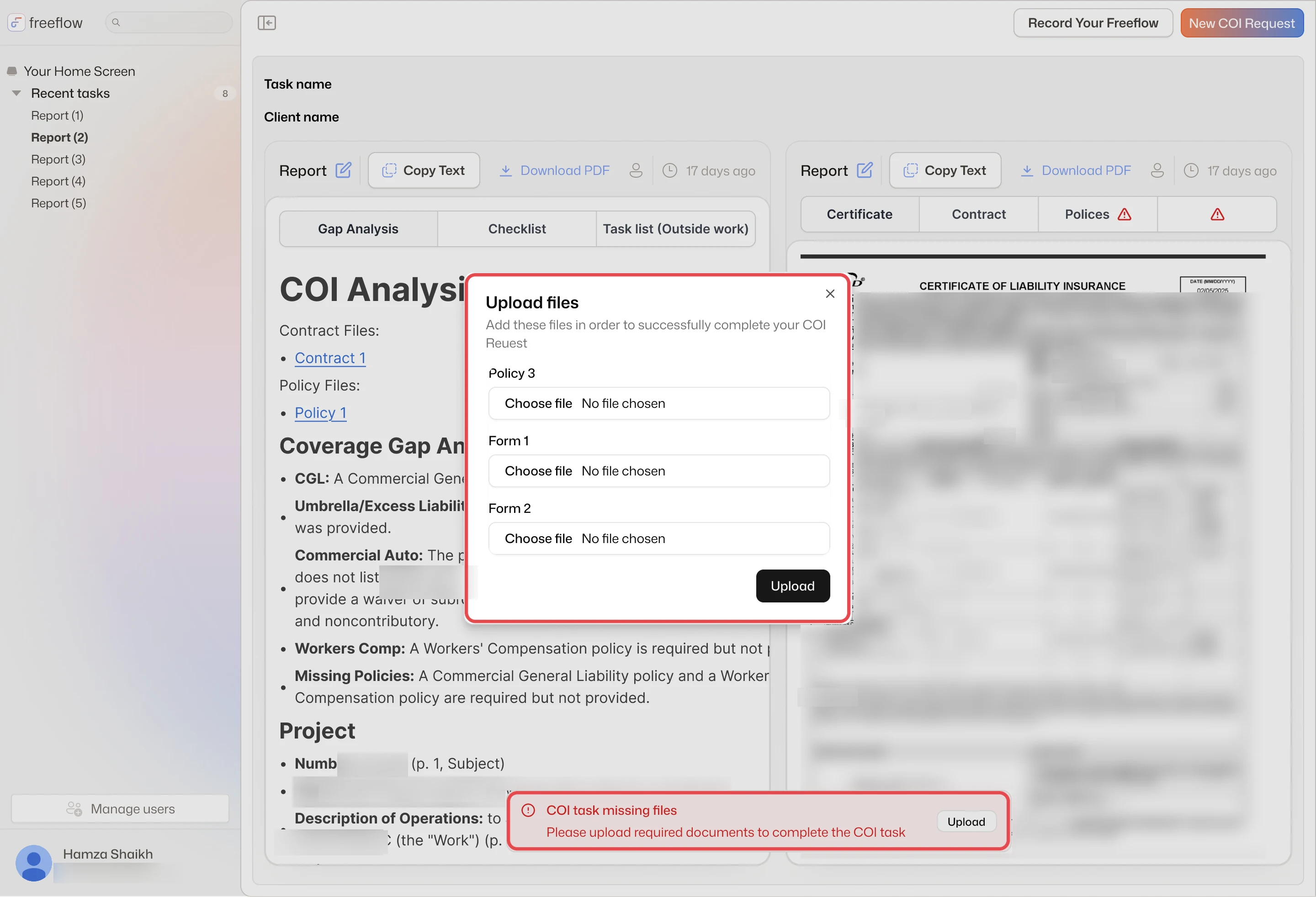
v2: ask for exactly what's missing
In v2 the check moves after reading. The report flags the Policies tab, and Upload lists exactly what's needed: Policy 3, Form 1 and Form 2.
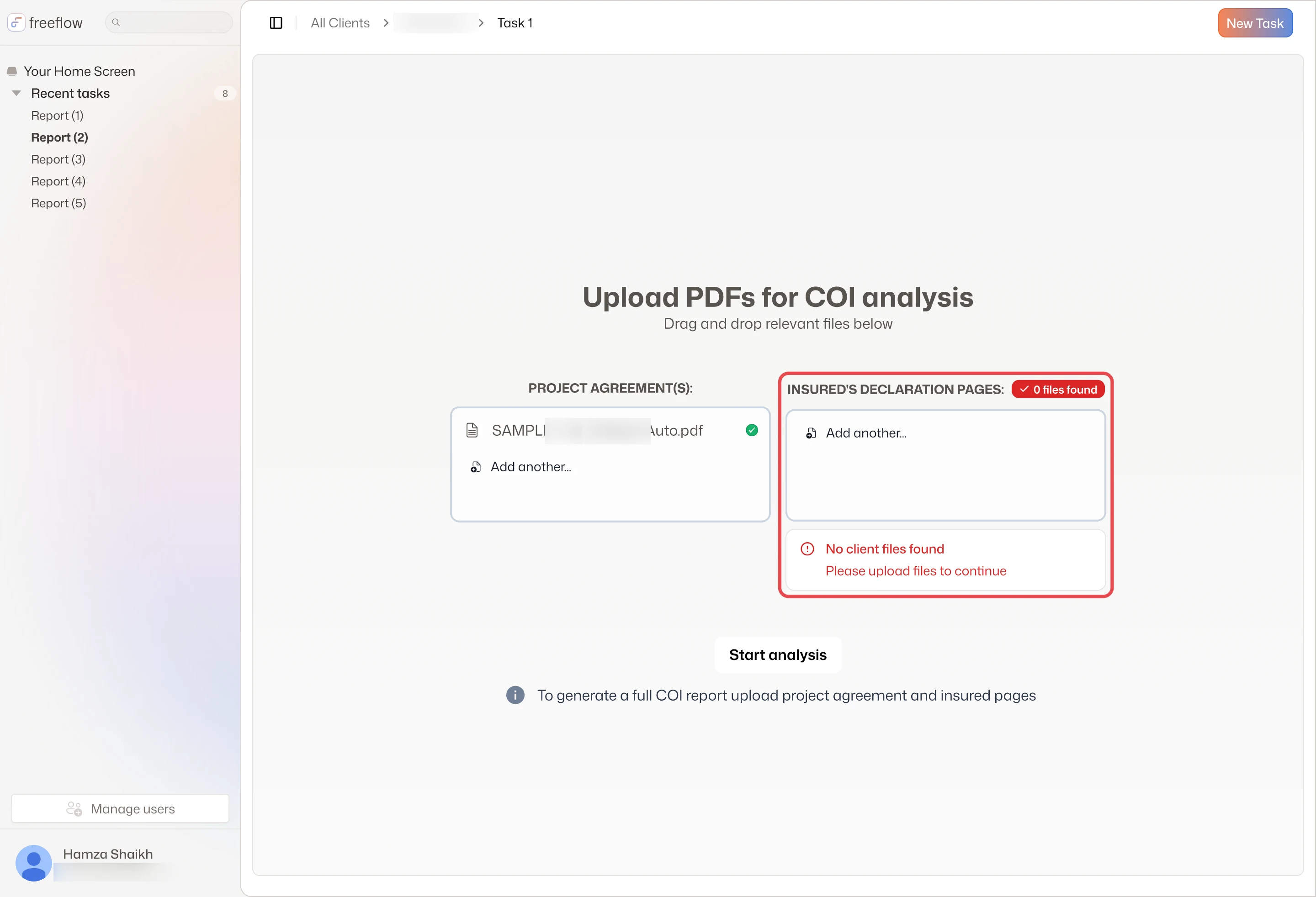
v2: no client files found
In the client-first version, the declaration pages zone reports no client files found and asks for an upload.
Final design
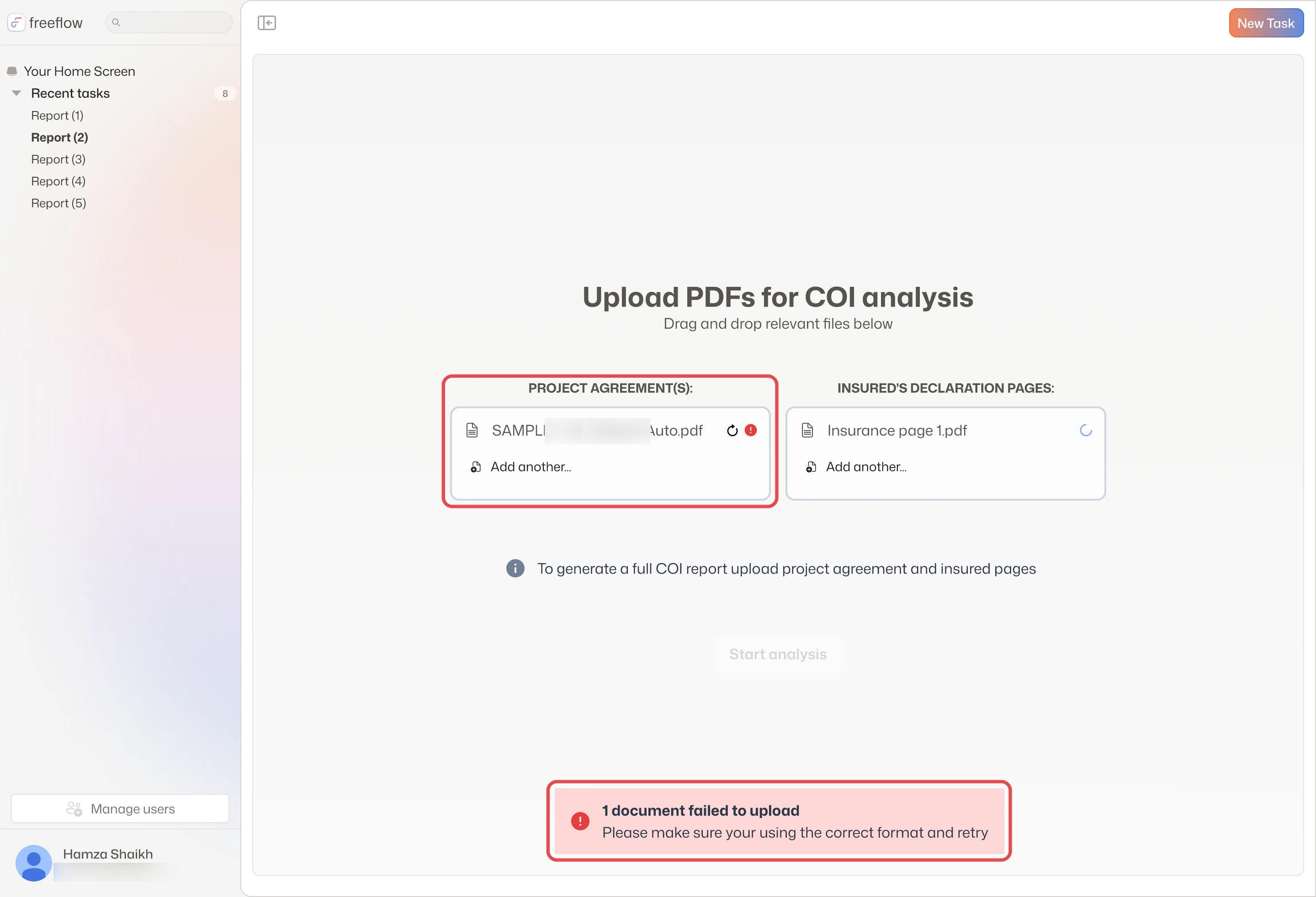
A failed file with a retry and error mark, and a red toast (file name blurred)
What landedv1 checks at upload. A failed file gets a retry and an error mark on its row, a toast asks for the correct format, and Start analysis stays grayed out. A report never runs on a broken file.
Invite your team
An agency works as a team. Where do you see who's on the account, and how do you bring a colleague in?
Explorations
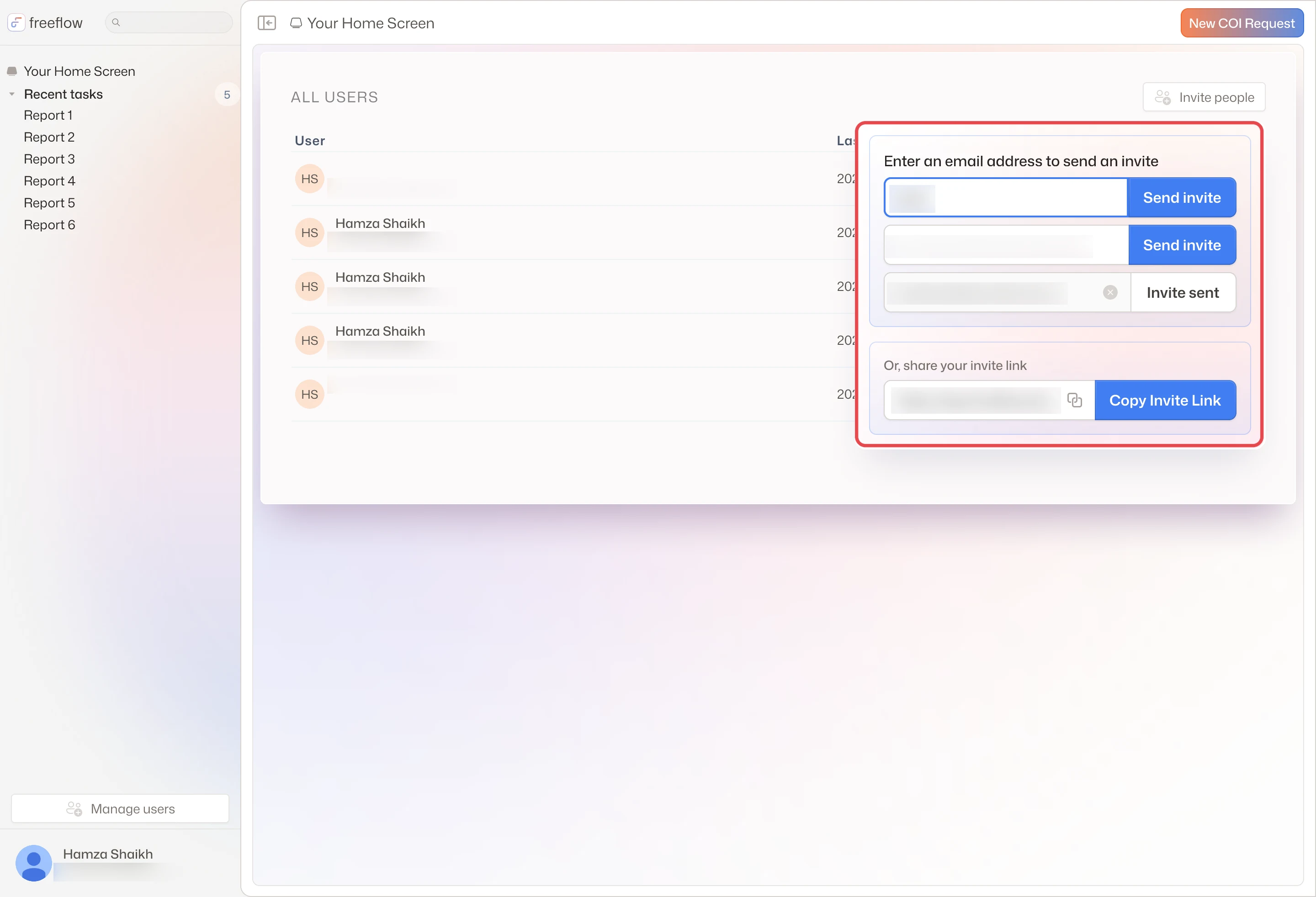
Invite as a popover
Invite people opens a popover over the user list: send by email, each row turning to Invite sent, or share one link.
Both in the sidebar
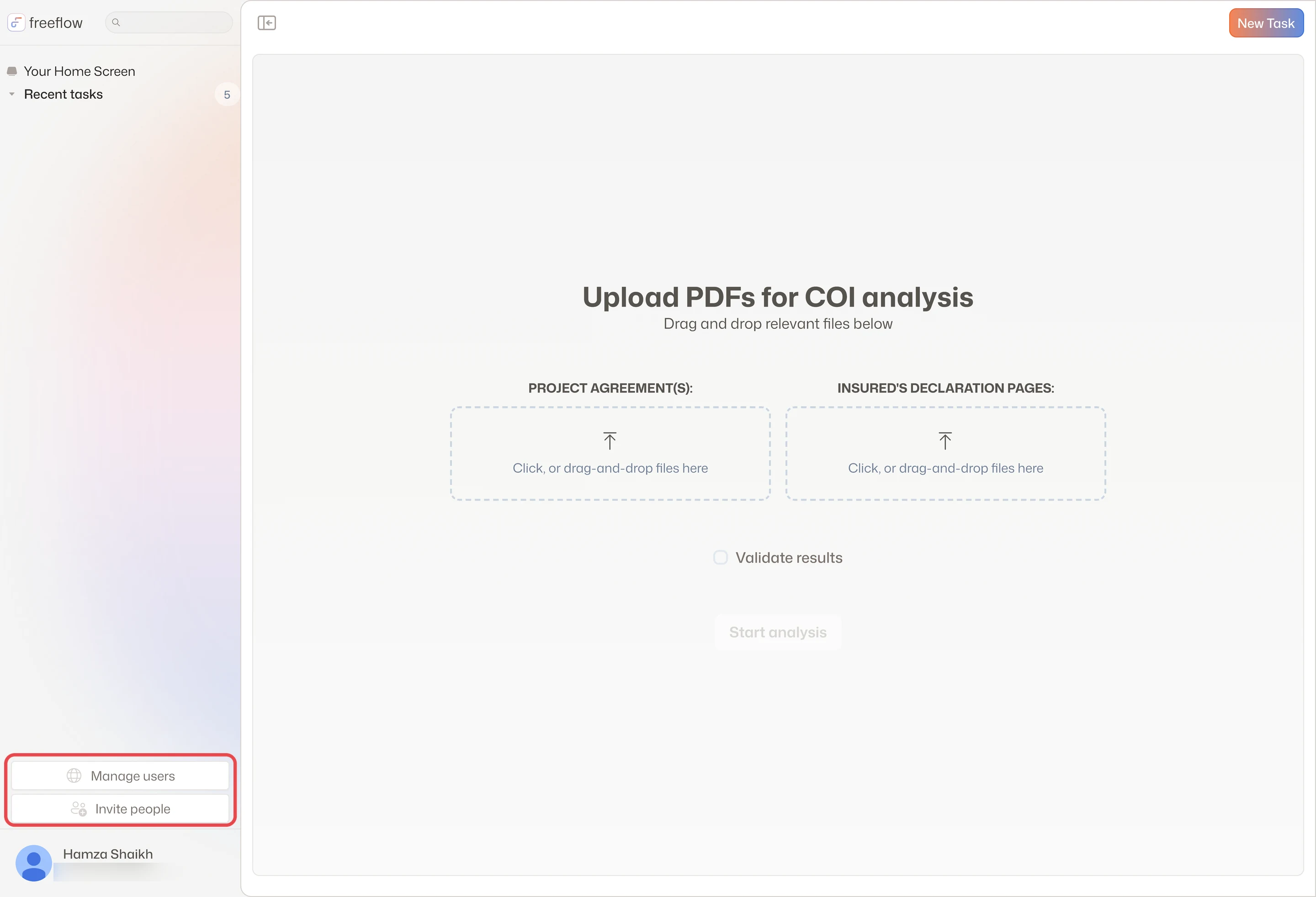
Manage users and Invite people sit together at the foot of the sidebar, above your name.
Final design
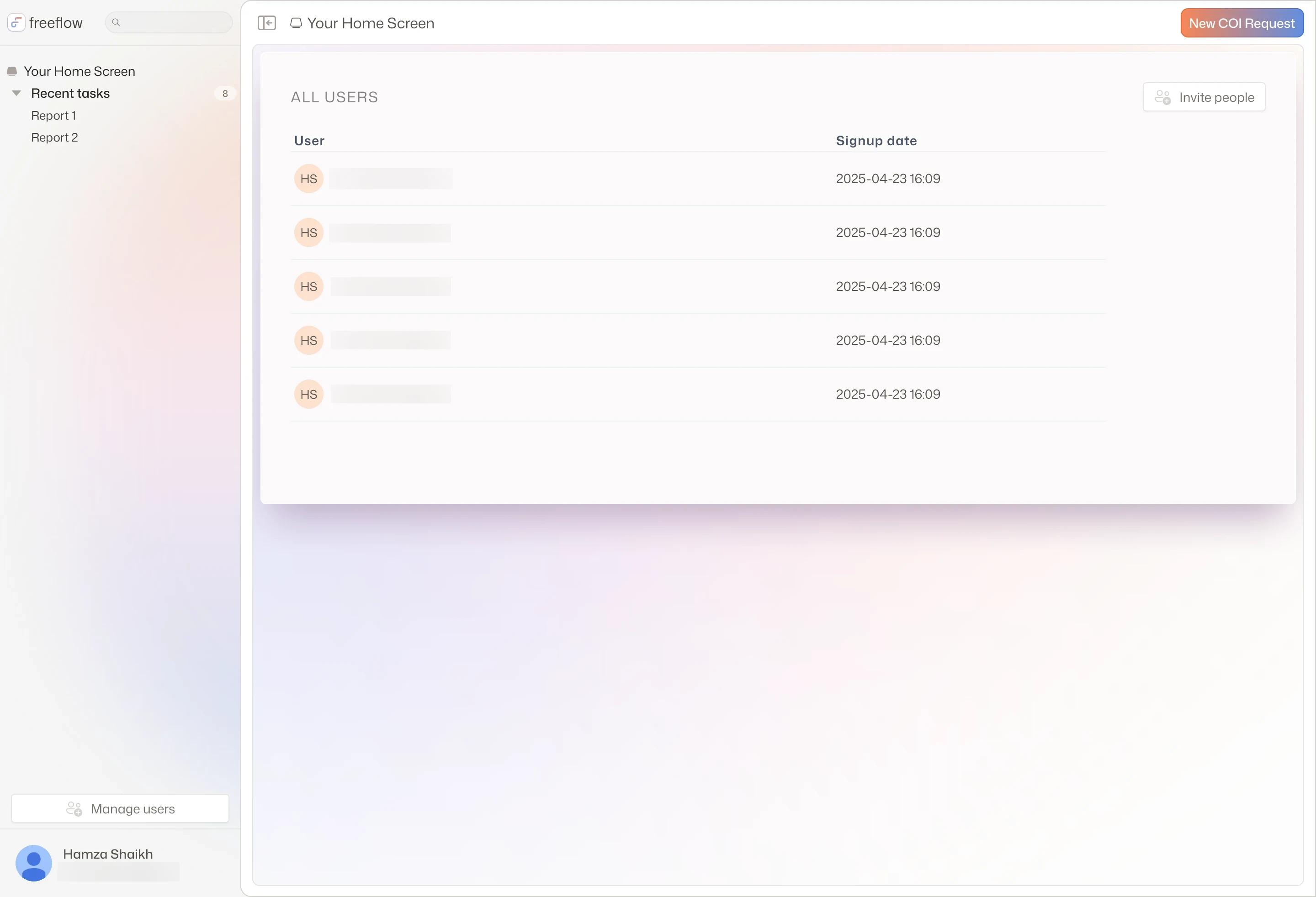
Manage users: everyone on the account, with Invite people at the top right
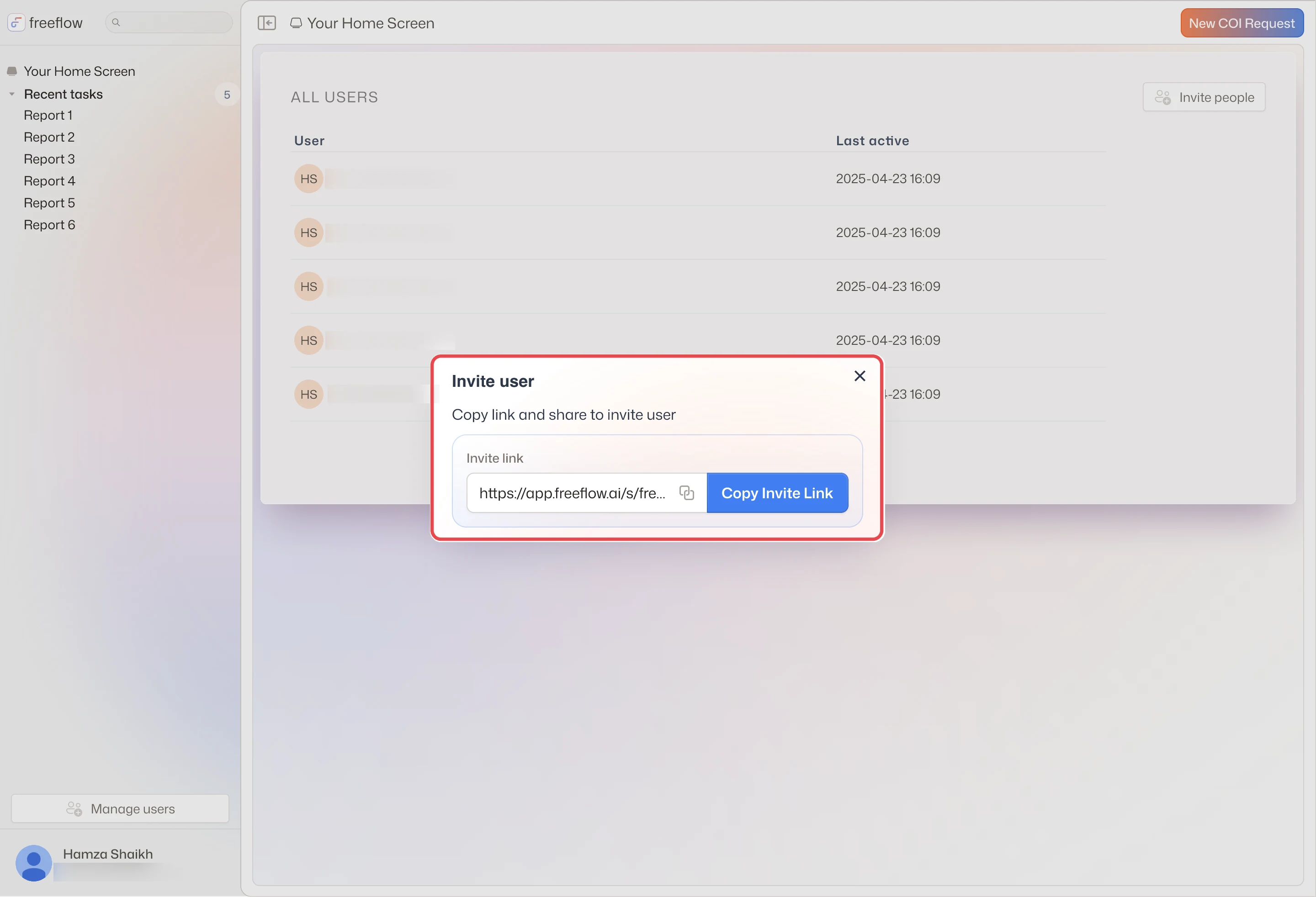
Invite people opens a modal with one link to copy and share
What landedThe final design keeps one way in. Manage users in the sidebar lists everyone on the account, and Invite people opens a modal with one link to copy and share. New teammates show as Pending invite.
Prototype
Prototype
Start a COI request, get the gap analysis, download it
Prototype
Invite a teammate
1
Upload the project agreement and the insured's declaration pages, or let the request arrive by email.
2
The agents compare them and write a coverage gap analysis, with each gap's recommendation and priority, and each requirement tied to its contract page.
3
Generate Acord fills the client's original ACORD form from the results, or Download PDF hands over the report.
The research
What we learned
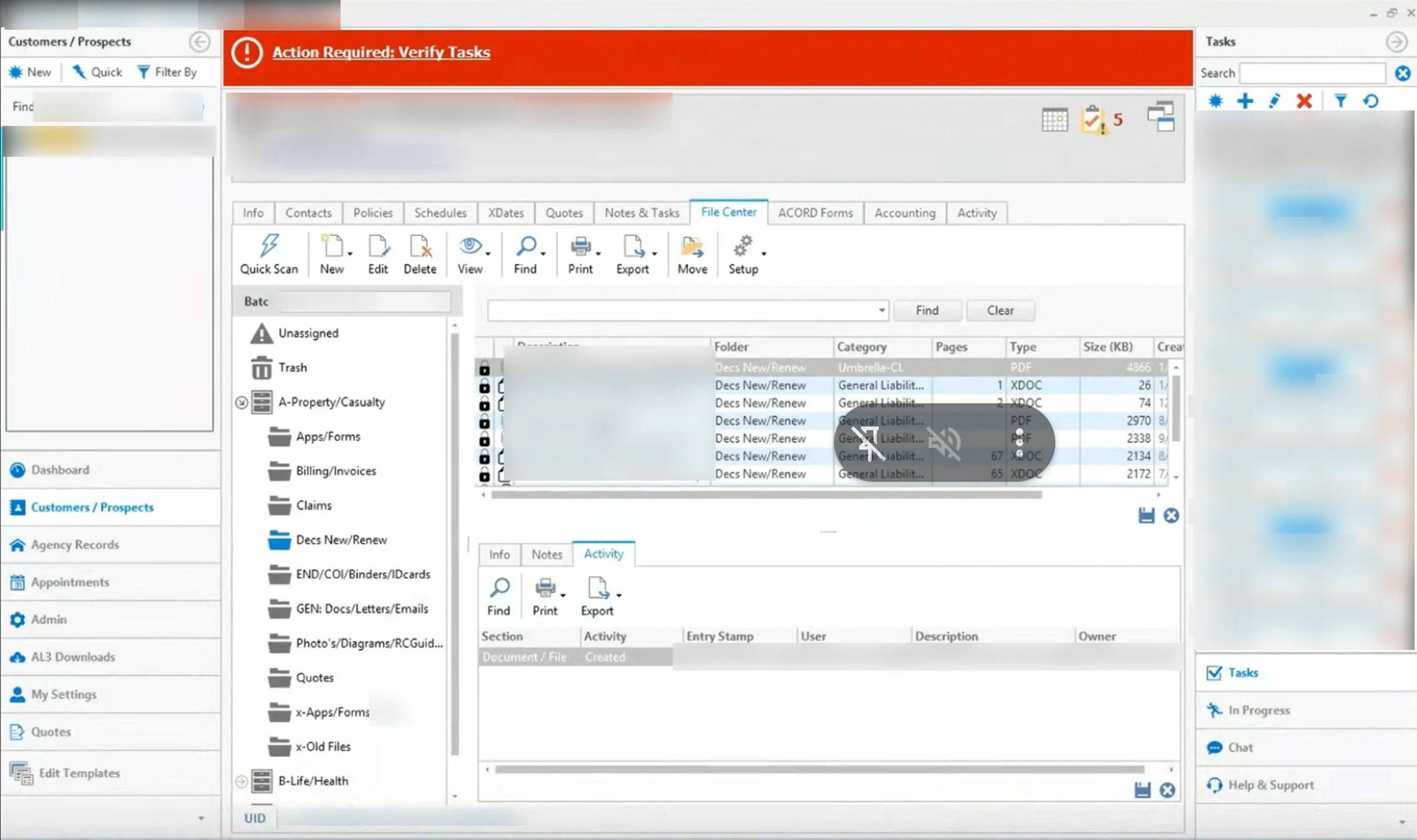
I shadowed an agency's service team over screen-share as they worked real requests. I wanted to see where the documents live, how long they run, and what the certificate must match.
Findings
Every request was checked by hand
Each meant finding the client in the agency's systems, then reading and comparing every policy and agreement line by line before replying.
Screen-share→ Two documents in, one report
The documents live in the client's record
A client's record kept declaration pages, endorsements, COIs and binders in folders, with tabs for policies and ACORD forms.
Screen-share→ Two documents in, one report
Policies run long
The carrier policy opened mid-request ran to 74 pages, read page by page in a PDF reader.
Screen-share→ From gap analysis to ACORD
The certificate has to match the contract
Each requirement must show up on the ACORD, like the contract's $500,000 Employers Liability (p. 4, § A).
Contract vs ACORD→ From gap analysis to ACORD
Screen-share with an agency service teamJul 2025 · Shadowing · Screen-share recording
Recording
A client record with folders of declaration pages, endorsements, COIs and binders (client details blurred)
What it adds up to
100%of claims audited, against under 5% by hand (Freeflow’s figure)
5specialist agents, each with one job
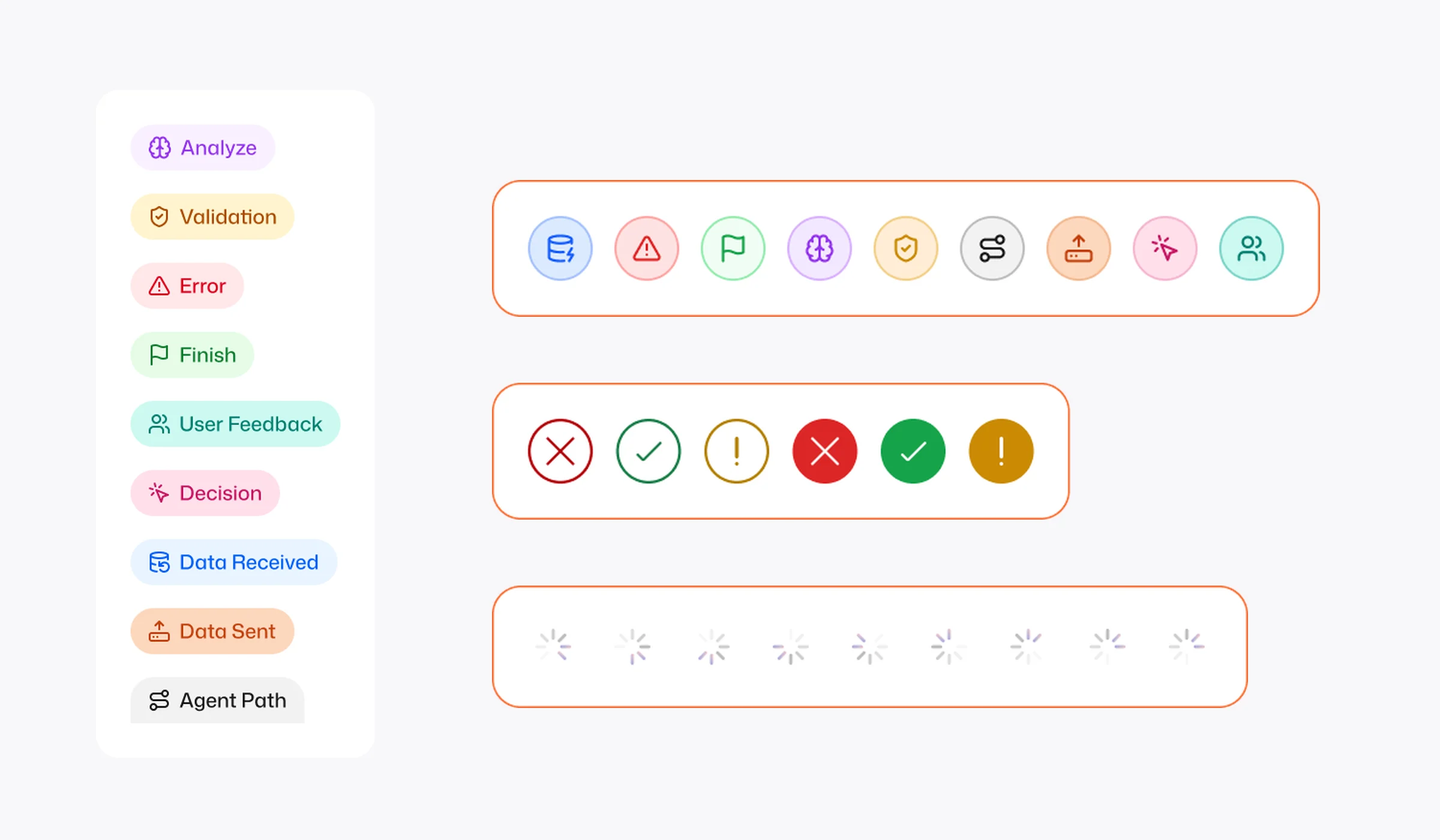
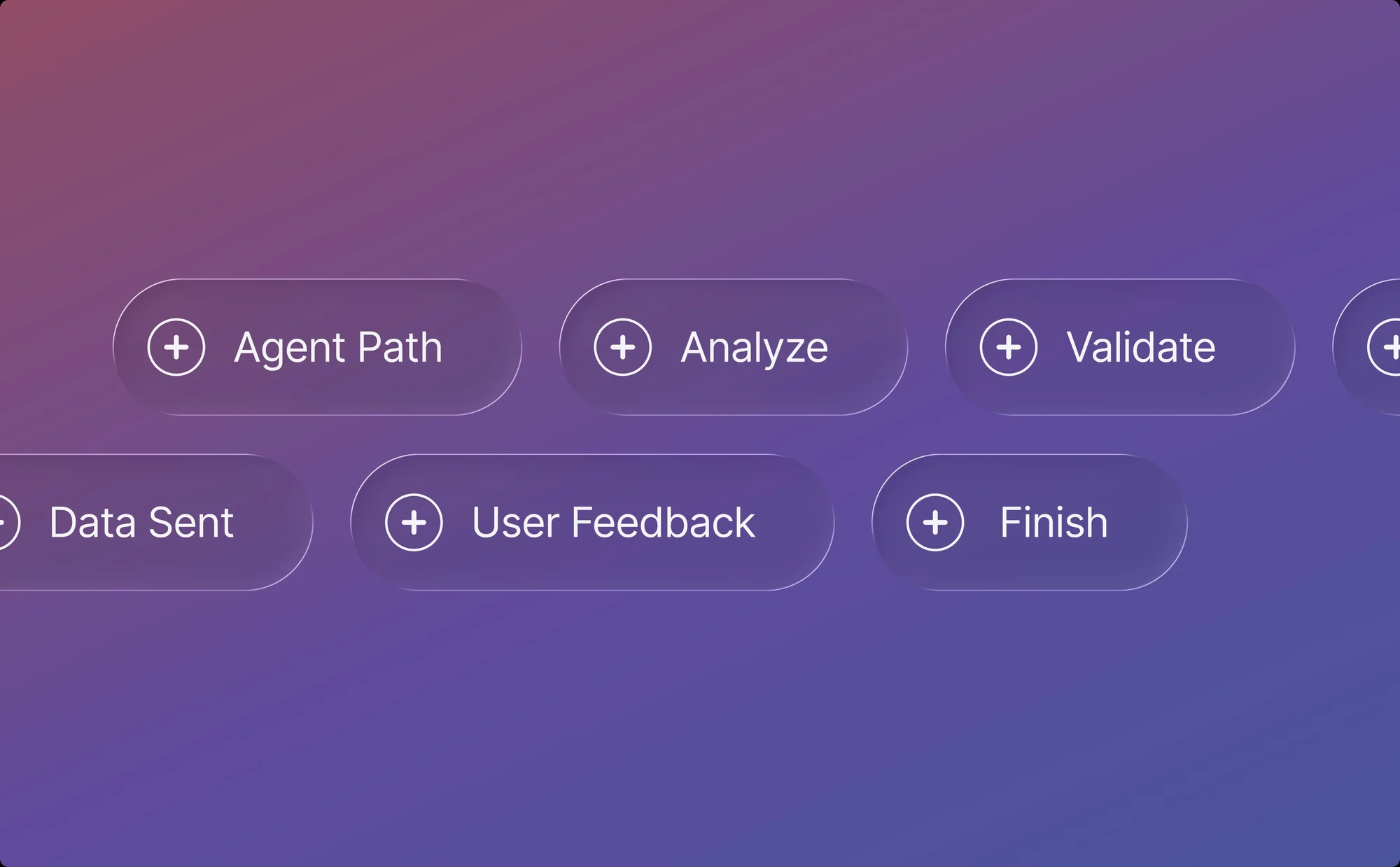
9step types in the agents’ visual language
17steps on one case, every one visible
Looking back
From certificates to claims audits.
What I learned
Give an agent a job description.
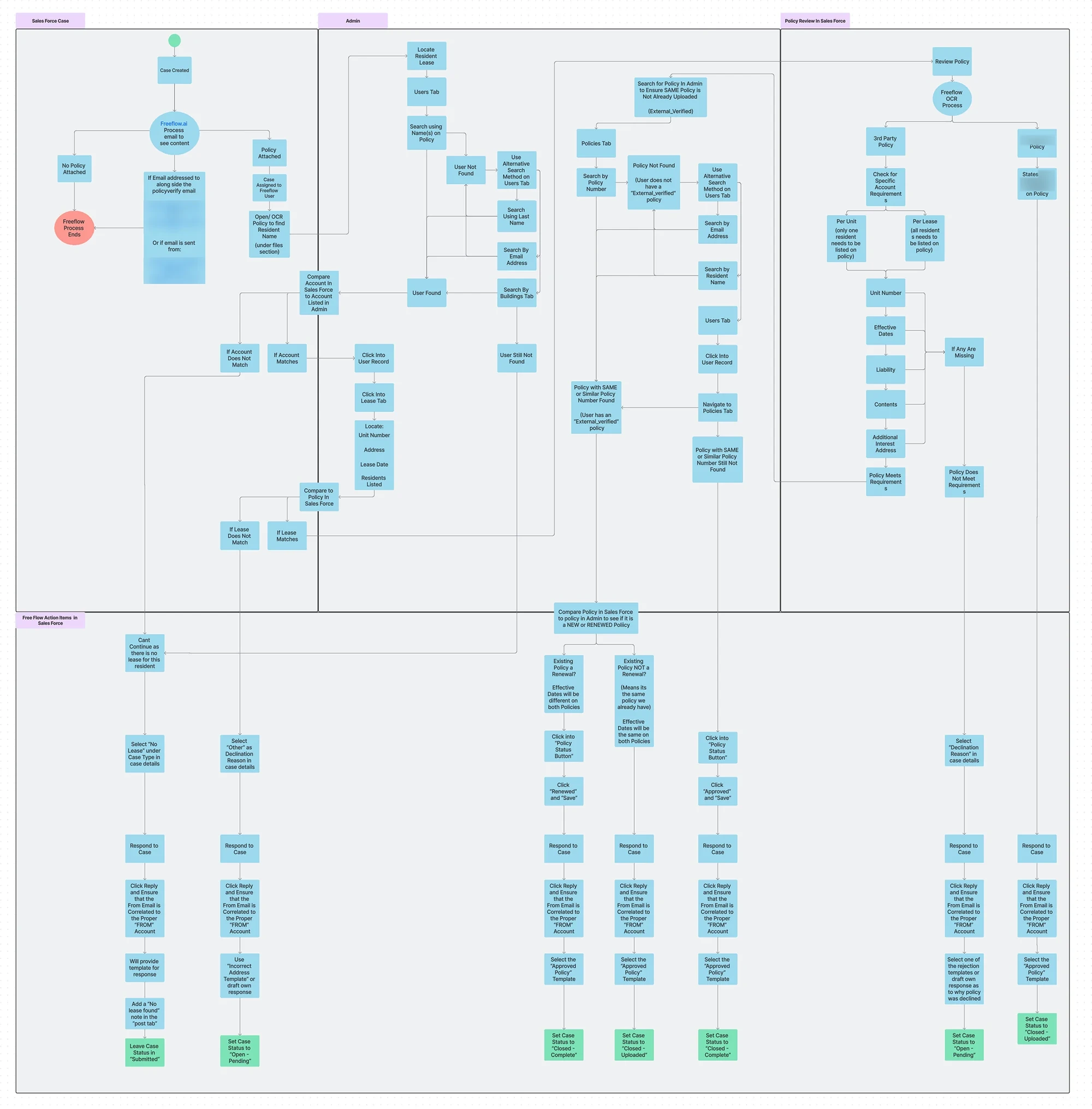
I shadowed service teams working real requests, then mapped every step, lookup and reply into one flow. That map gave each agent a clear scope, and gave us the steps to show.
Show the work.
A reviewer can only sign off on what they can see, so every step is typed, timed and explained. Open a step and it shows what the agent decided, why, and its reasoning, linked to the source files.
Keep a person in charge.
Agents did the reading and checking, and people made the call. The same ideas carried into P&C claims audit: specialist agents, visible reasoning and a person in charge of the outcome.
Research index
Every research board behind Freeflow lives inside the feature it shaped. Jump to any of them here.
Show all six boardsHide the boards
Where the research lives
Six research boards, each inside the feature it shaped